Professional Presentation Editor (PPTX)
Native PowerPoint (PPTX) compatibility — fluid animations, direct GIF playback, and presenter mode.
Effortless Presentation Creation
Multi-format compatibility with ultra-smooth animation transitions
Open .pptx files with zero broken layouts.
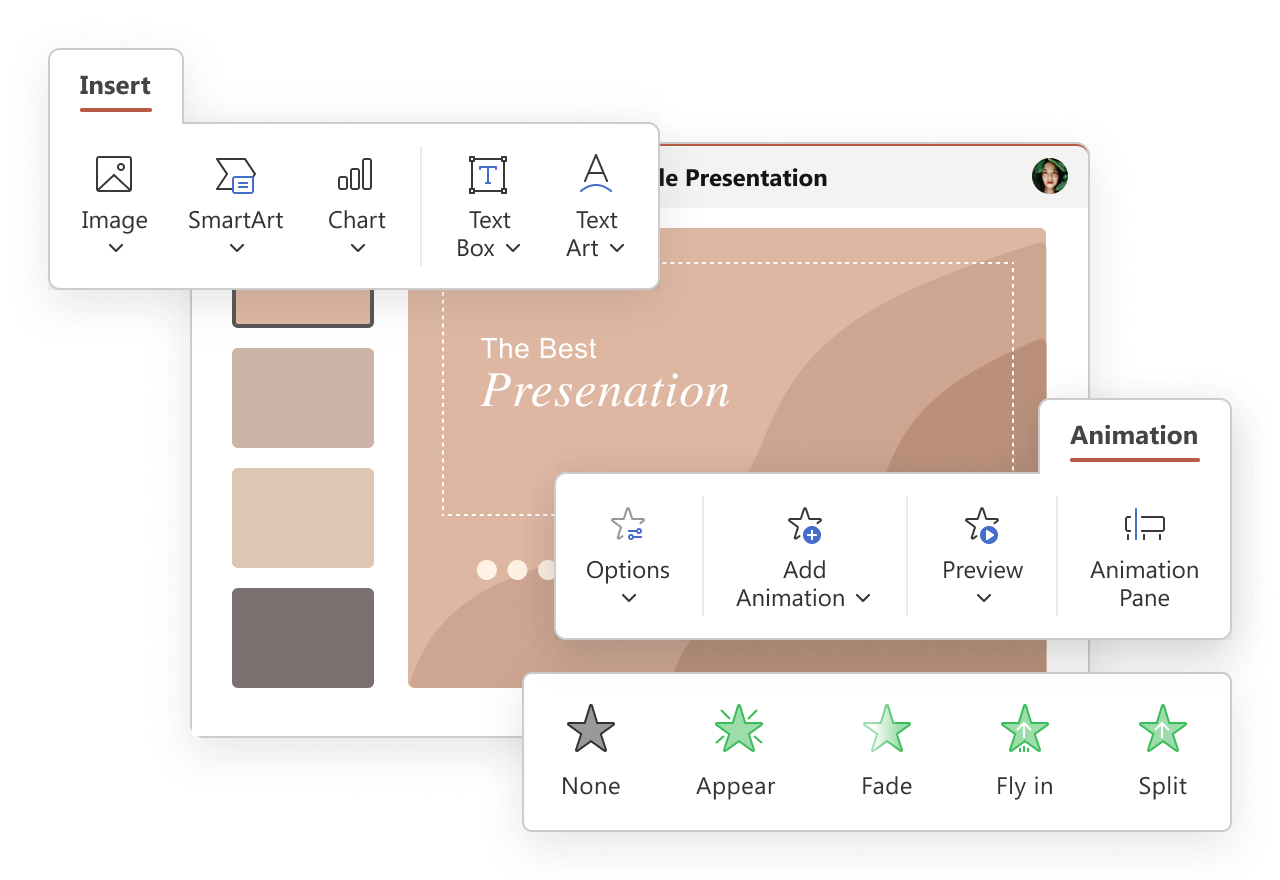
Master Slide Consistency
Confidence on stage with smart presenter controls
Master Slide Layouts
Define color palettes, corporate logos, and font hierarchies once to enforce consistent enterprise branding across all slides.
Direct GIF Playback & Motion
Bring ideas to life with native animated GIF playback during slideshow mode, paired with dozens of cinematic 3D slide transitions.
Smart Presenter View
Dual-monitor presenter console displays elapsed time, upcoming slides, and private speaker notes with a virtual laser pointer.
Familiar UX — Peak Productivity
Craft and deliver boardroom-ready pitch decks, keynote presentations, and training modules with smooth transitions and rich multimedia embeds.
Visual Slide Builder with Native PowerPoint Compatibility
Cinematic Slide Transitions & Entrance Animations
Seamless Team Connectivity
Distributed Team Authoring
Assign different slides to marketing, engineering, and finance specialists for simultaneous synthesis.
Remote Live Presentation
Broadcast slides remotely to meeting attendees directly in their browsers with no downloads needed.
AI Slide Drafting Assistant
Ask the built-in AI assistant to outline key talking points, condense verbose paragraphs, and generate speaker notes.
Ready to Modernize Your Office Suite?
Join 21+ million users worldwide deploying ONLYOFFICE Docs across private infrastructure.